
Google Pay Launches ‘Ask Google Pay’ Gemini AI Feature: Everything You Need to Know
Google Pay Launches ‘Ask Google Pay’ Gemini AI Feature: Everything You Need to Know
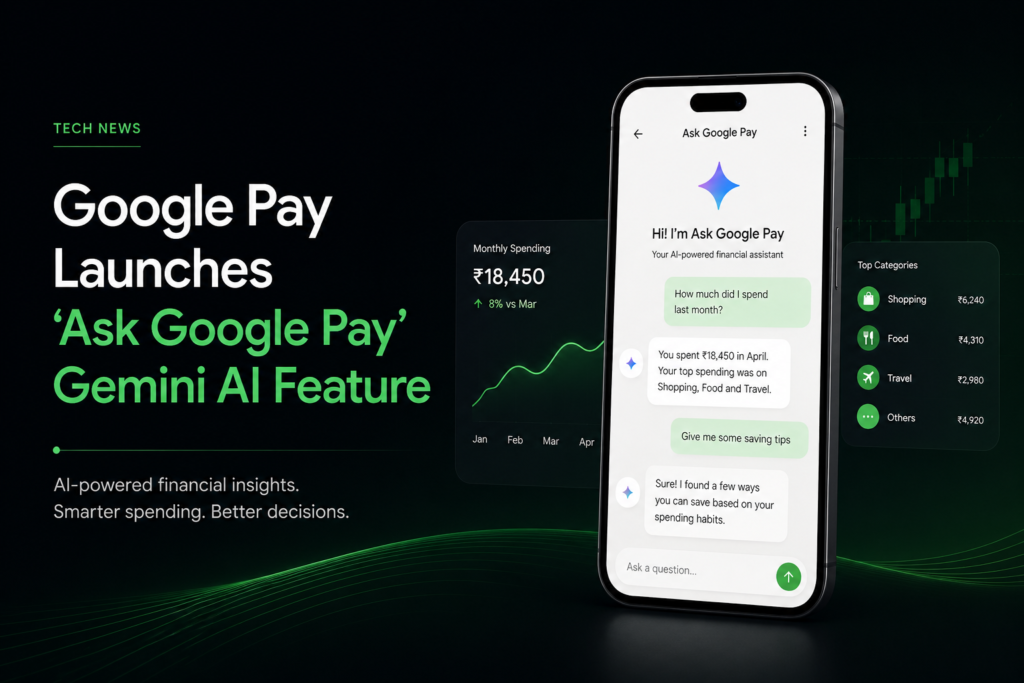
Google Pay has taken another major step toward AI-powered personal finance by launching Ask Google Pay, a conversational assistant built using Google’s Gemini AI. The feature enables users to ask questions about their spending habits, savings, investments, and financial concepts directly within the Google Pay app.
Initially rolling out to select users in India, Ask Google Pay aims to simplify money management by turning complex financial information into easy-to-understand conversations.
What Is Ask Google Pay?
Ask Google Pay is an AI-powered financial assistant integrated into the Google Pay app. Instead of manually navigating transaction history or searching online for financial information, users can simply ask questions in natural language.
The assistant can:
- Analyze spending patterns
- Explain financial concepts
- Offer budgeting suggestions
- Help users understand credit-related topics
- Answer investment-related questions
- Recommend relevant financial products based on user needs
The feature is powered by Gemini AI, Google’s latest large language model designed for conversational experiences.
Key Features of Ask Google Pay
1. Personalized Spending Insights
Users can ask questions like:
- How much did I spend last month?
- Where am I spending the most?
- How much did I spend on food?
The AI analyzes transaction history and presents spending insights in a conversational format.
2. Smart Saving Tips
Beyond showing expenses, Ask Google Pay provides practical suggestions to improve savings based on spending patterns.
For example, it may identify recurring expenses or spending categories where users can reduce costs.
3. Financial Education
Many users struggle with financial terminology. Ask Google Pay explains concepts such as:
- SIPs (Systematic Investment Plans)
- CIBIL Score
- Compound Interest
- Tax Regimes
- Credit Cards
The goal is to improve financial literacy through simple AI-powered conversations.
4. Investment Assistance
Google has also expanded Ask Google Pay to help users explore mutual funds and investments.
Users can:
- Compare mutual funds
- Understand investment risks
- Learn about equity and debt funds
- Explore investment options based on their goals
The feature is designed for educational purposes and does not execute transactions or provide regulated financial advice.
5. Supports Multiple Indian Languages
One of the biggest highlights is multilingual support.
Ask Google Pay supports conversations in 10 Indian languages, making AI-powered financial assistance more accessible to users across the country.
How to Access Ask Google Pay
If the feature is available on your account:
- Open the Google Pay app.
- Tap the Money section.
- Look for Ask About Your Finances.
- Select Ask a Question to begin chatting with the AI assistant.
Google notes that the feature is currently rolling out gradually and may not yet be available to all users in India.
Privacy and Security
Google states that Ask Google Pay is designed with user privacy in mind.
According to Google:
- Personalization is optional and disabled by default.
- Users can enable or disable personalization at any time.
- Data remains within the Google Pay ecosystem.
- User data is not used to train Google’s AI models.
- Users should avoid sharing sensitive information such as passwords, PINs, or complete bank account numbers during conversations with the AI assistant.
Limitations of Ask Google Pay
Although the AI assistant is capable of providing personalized financial insights, it has certain limitations.
Currently, Ask Google Pay:
- Cannot make payments on behalf of users
- Cannot transfer money
- Cannot replace professional financial advice
- May occasionally generate inaccurate AI responses
Google recommends verifying important financial decisions independently before acting on AI-generated suggestions.
Why This Launch Matters
India has one of the world’s largest digital payments ecosystems, with millions of users relying on Google Pay every day.
By integrating Gemini AI directly into the payment experience, Google is moving beyond simple transactions and transforming Google Pay into a personal financial assistant.
This launch also reflects a broader industry trend where AI is becoming deeply integrated into fintech products, helping users better understand spending, investments, and financial planning through natural conversations.
Final Thoughts
Ask Google Pay is more than just another chatbot – it represents Google’s vision of making financial management simpler, more personalised, and more accessible through AI.
While the feature is still rolling out to select users in India, its ability to analyse spending, explain financial concepts, and provide educational insights could make everyday money management significantly easier.
As Gemini continues to evolve, AI-powered financial assistants like Ask Google Pay are likely to become an increasingly important part of digital banking and payment experiences.
Frequently Asked Questions (FAQs)
Is Ask Google Pay available to everyone?
No. Google is currently rolling out the feature to a limited number of users in India.
Can Ask Google Pay make payments?
No. The assistant cannot initiate or complete payment transactions on behalf of users.
Is Ask Google Pay free?
Google has not announced any additional charges for the feature. It is available within the Google Pay app for eligible users.
Does Google use my financial data to train Gemini?
According to Google, user data used by Ask Google Pay is not used to train Google’s AI models.
Which languages does Ask Google Pay support?
The feature supports text and voice interactions in 10 Indian languages.